Multi-Touch Systems that I Have Known and Loved
Bill Buxton
Microsoft Research
Original: Jan. 12, 2007
Version: December 10th, 2025
Keywords / Search Terms
Multi-touch, multitouch, input, interaction, touch screen, touch tablet, multi-finger input, multi-hand input, bi-manual input, two-handed input, multi-person input, interactive surfaces, soft machine, hand gesture, gesture recognition .
 An earlier version of this page is also available in Belorussian, thanks to the translation by Martha Ruszkowski.
 A Greek translation of this page undertaken by Nikolaos Zinas.
Preamble
Since the announcements of the iPhone and Microsoft's Surface (both in 2007), an especially large number of people have asked me about multi-touch.� The reason is largely because they know that I have been involved in the topic for a number of years.� The problem is, I can't take the time to give a detailed reply to each question.� So I have done the next best thing (I hope).� That is, start compiling my would-be answer in this document.� The assumption is that ultimately it is less work to give one reasonable answer than many unsatisfactory ones.
Touch and multi-touch technologies have a long history.� To put it in perspective, touch screens were in use in the latter part of the 1960s for air traffic control in Great Britan. However, the technologies which first introuced touch screen to the public were only able to sense a single touch at a time. Yet, while it was only with the 2007 launch of the Apple iPhone that the general public became aware devices capable of independently sensing multiple simultaneous touch locations, this capability had already been developed by January 1984, and publicly demonstrated for over twenty years.
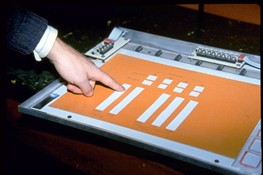
Use another Apple Computer mile-stone as a reference point, on January 24th, 1984, when the Apple Macintosh was first introduced, multi-touch screens and tablets had already been developed. One example, is a prototype capacitive multi-touch tablet developed at the University of Toronto, which was publicly disclosed and demonstrated in 1985 (Lee, Buxton & Smith, 1985). Another example is multi-touch display developed by Bob Boie at Bell Labs. I became aware of this work when I was invited to after we presented our work from Toronto. The Bell Labs work certainly preceded ours, and it was far more advanced - not only because it was a multi-touch screen rather than a tablet. was far more advanced,
Does that mean that we or Bell Labs "invented" the multi-touch screen used in the iPhone, and subsequent displays? Of course not. On the other hand, neither did Apple. As is virtually always the case, our work in Toroto, like that of Bell Labs and Apple, was possible by "standing on the shoulders of giants." Each "shoulder" in that chain represented a step forward. In musical terms, it is a case of "riffing off" rather than "ripping off."
A significant "next lnk" in that chain was the PhD work of Wayne Westerman:
- Westerman, Wayne (1999). Hand Tracking, Finger Identification, and Chordic Manipulation on a Multi-Touch Surface. U of Delaware PhD Dissertation: http://www.ee.udel.edu/~westerma/main.pdf
If you want to look backwards from his work, just look at the references in his thesis. He was an excellent researcher. And in that prior art, he knew the roots of things like the pinch gesture, which date back to 1983. And from this foundation he built both a body of knowledge, as well as a small successful company which brought his work to market.
Then with the acquisition of that company by Apple Computer, Westerman and his new colleagues at Apple took things to the next level, and integrated an even more refined version into the IPhone. And the chain continues.
In In putting this page together, an overarching goal is to use the evolution of touch, and especially multi-touch technology as a case study illustrating the nature of technological innovation. My hope is that this example will help emphasize the importance of balancing "making" with with researching the history / prior art, of the domains relevant to the space within which is working. And perhaps as an aside, pointing out that one of the key areas where creativity and insight can be exercised in this process lies in the area of determining what constitute "relevant" domains. Great ideas do not grow out of a vacuum. While marketing and our over subscription to the "cult of the hero" tend to lpursue the "great inventor/genius" myth, that is generally not how great innovation comes about. If there is a "spark of invention", the data says that that spark typically takes 20-30 years to kindle. In this sense, the evolution of multi-touch is a text-book example of what I call "The Long Nose of Innovation."
To flesh out this case study, I offer this brief and admitedly incomplete summary of some of the landmark examples which represent what I see as significant links in the chain leading up to multi-touch as we know it today.� And, in the spirit of life-long learning, I apologize for relevant examples, and encourage feeding me with comments and additional examples, etc.�
Note: for those note used to searching the HCI literature, the primary portal where you can search for and download the relevant literature, including a great deal relating to this topic (including the citations in the Westerman thesis), is the ACM Digital Library: http://portal.acm.org/dl.cfm. One other relevant source of interest, should you be interested in an example of the kind of work that has been done studying gestures in interaction, see the thesis by Hummels:
Please do not be shy in terms of sending me photos, updates, etc.� I will do my best to integrate them.
For more background on input, see also the incomplete draft manuscript for my book on input tools, theories and techniques:
For more background on input devices, including touch screens and tablets, see my directory at:
I hope this helps.
Some Dogma
There is a lot of confusion around touch technologies, and despite a history of over 25 years, until relatively recently (2007), few had heard of multi-touch technology, much less used it. So, given how much impact it is having today, how is it that multi-touch took so long to take hold?
- It took 30 years between when the mouse was invented by Engelbart and English in 1965 to when it became ubiquitous, on the release of Windows 95. Yes, a mouse was shipped commercially as early as 1968 with a German computer from Telefunken, and more visibly on the Xerox Star and PERQ workstations in 1982. Speaking personally, I used my first mouse in 1972 at the National Research Council of Canada. Yet, none of this made a huge dent in terms of the overal number deployed. It took 30 years to hit the tipping point. By that measure, multi-touch technologies, multi-touch got traction 5 years faster than the mouse!
- One of my primary axioms is: Everything is best for something and worst for something else. The trick is knowing what is what, for what, when, for whom, where, and most importantly, why. Those who try the replace the mouse play a fool�s game. The mouse is great for many things. Just not everything.The challenge with new input is to find devices that work together, simultaneously with the mouse (such as in the other hand), or things that are strong where the mouse is weak, thereby complementing it.
- A single new technology, no matter how potentially useful, is seldom the cause of a product's overall success. As with the mouse and multi-touch, a whole new ecosystem was required before their full potential could begin to be exploited.
- Arguably, input techniques and technologies have played second-fiddle relative to displays, in terms of investment and attention. The industry seemed content to try and make a better mouse, or mouse replacement (such as a trackball or joystick), rather than change the overall paradigm of interaction.
Some Framing
I don�t have time to write a treatise, tutorial or history.� What I can do is warn you about a few traps that seem to cloud a lot of thinking and discussion around this stuff.� The approach that I will take is to draw some distinctions that I see as meaningful and relevant.� These are largely in the form of contrasts:
-
Touch-tablets vs Touch screens: In some ways these are two extremes of a continuum. If, for example, you have paper graphics on your tablet, is that a display (albeit more-or-less static) or not? What if the �display� on the touch tablet is a tactile display rather than visual?� There are similarities, but there are real differences between touch-sensitive display surfaces, vs touch pads or tablets. It is a difference of directness. If you touch exactly where the thing you are interacting with is, let�s call it a touch screen or touch display. If your hand is touching a surface that is not overlaid on the screen, let's call it a touch tablet or touch pad.
-
Discrete vs Continuous: The nature, or "language" of touch input is highly shaped by the type of actions that are used in interacting with the touch technology. The same touch technology on the same device can assume a very different character, depending on whether the interface depends on discrete vs continuous actions. For example, the most common way of working with touch screens is with direct finger selection of items. For example, one might be asked to "push" the graphical OK button to conclude a transaction on an ATM, or "tap" on the keys of a graphical keyboard in order to enter text (in this latter case, multi-touch supports the ability to hold the SHIFT key down while simultaneously tapping one or more alphabetic keys, in order to get upper case).
In contrast, one can also design the interaction such that control is asserted by means of continuous actions, or gestures, such as the lateral stroke gesture that is commonly used in photo-viewing applications to enable the user to go to the next, or previous, image in a sequence, depending on the direction of the stroke. An example of a multi-touch continuous gesture is the common "pinch" gesture that enables one to zoom in or out of an image or map, for example.
The discrete actions are typically accompanied by graphical cues, or feedback (feedforward, actually), that make them self-revealing. Some contiuous actions share this property, such as dragging the handle of a graphical linear potentiometer to change the speaker volume for a video, but many do not - such as the example of flicking through photos or pinching to zoom into a map. In these cases, the user needs to somehow know what can be done, how to do it, and when it can be done. The point is this: with the same multi-touch device on the same hardware, the nature of the experience can vary greatly depending on which kind of interaction is used, where, and how. -
Location Specificity: How accuratley the user has to position a touch at a particular location for a particular action has a significant effect on the nature of the interaction. Typing the "e" key on a graphical keyboard requires a rather high level of accuity, but less than selecting the gap between the second and third 'l" in "allleu" in order to correct the spelling to "alleleu". On the other hand, some actions, such as the lateral flick frequently used to go to the next or previous image in a photo viewer is far less demanding on where it occurs. With full-screen viewing, for example, it can be initiated pretty much anywhere on the screen. How demanding touch-screen interaction is in this regard has a significant impact on not only overall user experience, but also its suitability for certain applications. In general, the more precise one must be in terms of where the touch occurs, the more visually demanding the task is. And, the more the interaction demands visual attention, the less acceptable that interface is for cases where the eyes (not to mention the hands) should be deployed elsewhere. For example, the design of most touch screen controlled devices that I have seen should be illegal to use while driving an automobile, and certainly should not be integrated into the console. Because of its importance, let me dive into this a little bit deeper.
As primarily deployed today, touch-screens are relatively uniform flat surfaces. There is no tactile feedback like that provided by a piano keyboard, with its the cracks between the keys, or the different levels of the black and white keys, or the different shapes of the knobs of your old-school car radio, which "told" you - through touch - that you were touching the volume control, tuning knob, or preset button. With touch screens, yes, you may know approximately where the graphical QWERTY keyboard is positioned, for example, and you may know about where the comma (",") key is located, but unlike a traditional car radio, you cannot feel your way to its location. The absence of tactile feedback means you need to use your eyes. A key message that I want to convey is that this is true even with touch screens that provide so-called tactile feedback. The reason is that typically only provides feedback as to what action was just done, not what you are about to do. For our purposes, what I am describing as missing is not tactile feedback, but what might be better referred to as feedforward. (In reality, what I am calling "feedforward" is actually still "feedback", but it is feedback for the task of finding the appropriate control, not activating it. This just points out that we need to have a finer granularity in our task analysis, as well as the types of feedback supported). Finally, the significance and impact of all of this is amplified by the fact that traditional mechanical controls a persistent in their location, and therefore one can not only feel them, one can commit their approximate location to muscle memory, through practice. With touch screen interfaces, multiple controls typically appear at different times at the same location, thereby creating a "moded" situation which most likely reduces the potential for such motor learning in many, if not most, situations. -
Degrees of Freedom: The richness of interaction is highly related to the richness/numbers of degrees of freedom (DOF), and in particular, continuous degrees of freedom, supported by the technology. The conventional GUI is largely based on moving around a single 2D cursor, using a mouse, for example. This results in 2DOF. If I am sensing the location of two fingers, I have 4DOF, and so on. When used appropriately, these technologies offer the potential to begin to capture the type of richness of input that we encounter in the everyday world, and do so in a manner that exploits the everyday skills that we have acquired living in it. This point is tightly related to the previous one.
-
Size matters: Size largely determines what muscle groups are used, how many fingers/hands can be active on the surface, and what types of gestures are suited for the device.
-
Orientation Matters - Horizontal vs Vertical: Large touch surfaces have traditionally had problems because they could only sense one point of contact. So, if you rest your hand on the surface, as well as the finger that you want to point with, you confuse the poor thing. This tends not to occur with vertically mounted surfaces. Hence large electronic whiteboards frequently use single touch sensing technologies without a problem.
-
There is more to touch-sensing than contact and position: Historically, most touch sensitive devices only report that the surface has been touched, and where. This is true for both single and multi touch devices. However, there are other aspects of touch that have been exploited in some systems, and have the potential to enrich the user experience:
- Degree of touch / pressure sensitivity: A touch surfaces that that can independently and continuously sense the degree of contact for each toouch point has a far higher potential for rich interaction. Note that I use �degree of contact� rather than pressure since frequently/usually, what passes for pressure is actually a side effect � as you push harder, your finger tip spreads wider over the point of contact, and what is actually sensed is amount/area of contact, not pressure, per se. Either is richer than just binary touch/no touch, but there are even subtle differences in the affordances of pressure vs degree.
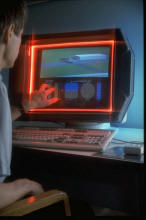
- Angle of approach: A few systems have demonstrated the ability to sense the angle that the finger relative to the screen surface. See, for example, McAvinney's Sensor Frame, below. In effect, this gives the finger the capability to function more-or-less as a virtual joystick at the point of contact, for example. It also lets the finger specify a vector that can be projected into the virtual 3D space behind the screen from the point of contact - something that could be relevant in games or 3D applications.
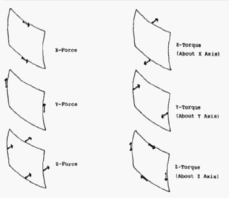
- Force vectors: Unlike a mouse, once in contact with the screen, the user can exploit the friction between the finger and the screen in order to apply various force vectors. For example, without moving the finger, one can apply a force along any vector parallel to the screen surface, including a rotational one. These techniques were described as early as 1978, as shown below, by Herot, C. & Weinzapfel, G. (1978). Manipulating Simulated Objects with Real-World Gestures Using a Force and Position Sensitive Screen, Computer Graphics, 18(3), 195-203.].
Such historical examples are important reminders that it is human capability, not technology, that should be front and centre in our considerations. While making such capabilities accessible at reasonable costs may be a challenge, it is worth remembering further that the same thing was also said about multi-touch. Furthermore, note that multi-touch dates from about the same time as these other touch innovations.
-
Size matters II: The ability of to sense the size of the area being touched can be as important as the size of the touch surface. See the Synaptics example, below, where the device can sense the difference between the touch of a finger (small) vs that of the cheek (large area), so that, for example, you can answer the phone by holding it to the cheek.
-
Single-finger vs multi-finger: Although multi-touch has been known since at least 1982, the vast majority of touch surfaces deployed are single touch. If you can only manipulate one point, regardless of with a mouse, touch screen, joystick, trackball, etc., you are restricted to the gestural vocabulary of a fruit fly. We were given multiple limbs for a reason. It is nice to be able to take advantage of them.
-
Multi-point vs multi-touch: It is really important in thinking about the kinds of gestures and interactive techniques used if it is peculiar to the technology or not. Many, if not most, of the so-called �multi-touch� techniques that I have seen, are actually �multi-point�. Think of it this way: you don�t think of yourself of using a different technique in operating your laptop just because you are using the track pad on your laptop (a single-touch device) instead of your mouse. Double clicking, dragging, or working pull-down menus, for example, are the same interaction technique, independent of whether a touch pad, trackball, mouse, joystick or touch screen are used.
-
Multi-hand vs multi-finger: For much of this space, the control can not only come from different fingers or different devices, but different hands working on the same or different devices. A lot of this depends on the scale of the input device. Here is my analogy to explain this, again referring back to the traditional GUI. I can point at an icon with my mouse, click down, drag it, then release the button to drop it. Or, I can point with my mouse, and use a foot pedal to do the clicking. It is the same dragging technique, even though it is split over two limbs and two devices. So a lot of the history here comes from a tradition that goes far beyond just multi-touch.
-
Multi-person vs multi-touch: If two points are being sensed, for example, it makes a huge difference if they are two fingers of the same hand from one user vs one finger from the right hand of each of two different users. With most multi-touch techniques, you do not want two cursors, for example (despite that being one of the first thing people seem to do). But with two people working on the same surface, this may be exactly what you do want. And, insofar as multi-touch technologies are concerned, it may be valuable to be able to sense which person that touch comes from, such as can be done by the Diamond Touch system from MERL (see below).
-
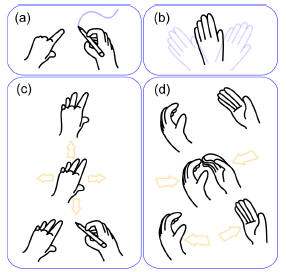
Points vs Gesture: Much of the early relevant work, such as Krueger (see below) has to do with sensing the pose (and its dynamics) of the hand, for example, as well as position. That means it goes way beyond the task of sensing multiple points.
-
Stylus and/or finger: Some people speak as if one must make a choice between stylus vs finger. It certainly is the case that many stylus systems will not work with a finger, but many touch sensors work with a stylus or finger. It need not be an either or question (although that might be the correct decision � it depends on the context and design). But any user of the Palm Pilot knows that there is the potential to use either. Each has its own strengths and weaknesses. Just keep this in mind: if the finger was the ultimate device, why didn�t Picasso and Rembrandt restrict themselves to finger painting? On the other hand, if you want to sense the temperature of water, your finger is a better tool than your pencil.
-
Hands and fingers vs Objects: The stylus is just one object that might be used in multi-point interaction. Some multi-point / multi-touch systems can not only sense various different objects on them, but what object it is, where it is, and what its orientation is. See Andy Wilson�s work, below, for example. And, the objects, stylus or otherwise, may or may not be used in conjunction and simultaneously with fingers.
-
Different vs The Same: When is something the same, different or obvious? In one way, the answer depends on if you are a user, programmer, scientist or lawyer. From the perspective of the user interface literature, I can make three points that would be known and assumed by anyone skilled in the art:
- Device-Independent Graphics: This states that the same technique implemented with an alternative input device is still the same technique. For example, you can work your GUI with a stylus, touch screen, mouse, joystick, touchpad, or trackball, and one would still consider techniques such as double-clicking, dragging, dialogue boxes as being �the same� technique;
- The Interchange of devices is not neutral from the perspective of the user: While the skill of using a GUI with a mouse transfers to using a touchpad, and the user will consider the interface as using the same techniques, nevertheless, the various devices have their own idiomatic strengths and weaknesses. So, while the user will consider the techniques the �same�, their performance (speed, accuracy, comfort, preference, etc.) will be different from device to device. Hence, the interactive experience is not the same from device to device, despite using the same techniques. Consequently, it is the norm for users and researchers alike to swap one device for another to control a particular technique.
- Feedback: The presence or absence of graphical feedback, or the design of the feedback, accompanying that same action, with the same effect, can result in a very different experience or interaction language. For example, with finger gestures, one might leave some kind of temporary ink trail during the action, like the cloud trail of a jet plane, for example. Furthermore, leaving a different trail depending on if one or two fingers are used in the gesture, may be useful in imprinting upon the user, that that same gesture means two different things, depending on the number of fingers. Despite the functional effect of the action being identical, with or without the feedback, the effect of the interface design can be significantly different. The reason is that design is not just about individual actions, but other things, such as learning, as well.
If you take the complete set of all of the possible variations of all of the above alternatives into consideration, the range is so diverse that I am inclined to say that anyone who describes something as having a touch-screen interface, and leaves it at that, is probably unqualified to discuss the topic. Okay, I am over-stating. But just perhaps. The term "touch screen interface" can mean so many things that, in effect, it means very little, or nothing, in terms of the subtle nuances that define the essence of the interaction, user experience, or appropriateness of the design for the task, user, or context. One of my purposes for preparing this page is to help raise the level of discourse, so that we can avoid apple-banana type comparisons, and discuss this topic at a level that is worthy of its importance. And, having made such a lofty claim, I also state clearly that I don't yet understand it all, still get it wrong, and still have people correct me. But on the other hand, the more explicit we can be in terms of specifics, language and meaningful dimensions of differentiation, the bigger the opportunity for such learning to happen. That is all that one can hope for.
Some Attributes
As I stated above, my general rule is that everything is best for something and worst for something else. The more diverse the population is, the places and contexts where they interact, and the nature of the information that they are passing back in forth in those interactions, the more there is room for technologies tailored to the idiosyncrasies of those tasks.
The potential problem with this, is that it can lead to us having to carry around a collection of devices, each with a distinct purpose, and consequently, a distinct style of interaction. This has the potential of getting out of hand and our becoming overwhelmed by a proliferation of gadgets � gadgets that are on their own are simple and effective, but collectively do little to reduce the complexity of functioning in the world. Yet, traditionally our better tools have followed this approach. Just think of the different knives in your kitchen, or screwdrivers in your workshop. Yes there are a great number of them, but they are the �right ones�, leading to an interesting variation on an old theme, namely, �more is less�, i.e., more (of the right) technology results is less (not more) complexity. But there are no guarantees here.
What touch screen based �soft machines� offer is the opposite alternative, �less is more�. Less, but more generally applicable technology results in less overall complexity. Hence, there is the prospect of the multi-touch soft machine becoming a kind of chameleon that provides a single device that can transform itself into whatever interface that is appropriate for the specific task at hand. The risk here is a kind of "jack of all trades, master of nothing" compromise.
One path offered by touch-screen driven appliances is this: instead of making a device with different buttons and dials mounted on it, soft machines just draw a picture of the devices, and let you interact with them. So, ideally, you get far more flexibility out of a single device. Sometimes, this can be really good. It can be especially good if, like physical devices, you can touch or operate more than one button, or virtual device at a time. For an example of where using more than one button or device at a time is important in the physical world, just think of having to type without being able to push the SHIFT key at the same time as the character that you want to appear in upper case. There are a number of cases where this can be of use in touch interfaces.
Likewise, multi-touch greatly expands the types of gestures that we can use in interaction. We can go beyond simple pointing, button pushing and dragging that has dominated our interaction with computers in the past. The best way that I can relate this to the everyday world is to have you imagine eating Chinese food with only one chopstick, trying to pinch someone with only one fingertip, or giving someone a hug with � again � the tip of one finger or a mouse. In terms of pointing devices like mice and joysticks are concerned, we do everything by manipulating just one point around the screen � something that gives us the gestural vocabulary of a fruit fly. One suspects that we can not only do better, but as users, deserve better. Multi-touch is one approach to accomplishing this � but by no means the only one, or even the best. (How can it be, when I keep saying, everything is best for something, but worst for something else).
There is no Free Lunch.
-
Feelings: The adaptability of touch screens in general, and multi-touch screens especially comes at a price. Besides the potential accumulation of complexity in a single device, the main source of the downside stems from the fact that you are interacting with a picture of the ideal device, rather than the ideal device itself. While this may still enable certain skills from the specialized physical device transfer to operating the virtual one, it is simply not the same. Anyone who has typed on a graphical QWERTY keyboard knows this.
User interfaces are about look and feel. The following is a graphic illustration of how this generally should be written when discussing most touch-screen based systems:
Look and Feel
Kind of ironic, given that they are "touch" screens. So let's look at some of the consequences in our next points. -
If you are blind you are simply out of luck. p.s., we are all blind at times - such as when lights are out, or our eyes are occupied elsewhere � such as on the road). On their own, soft touch screen interfaces are nearly all �eyes on�. You cannot �touch type�, so to speak, while your eyes are occupied elsewhere (one exception is so-called �heads-up� touch entry using single stroke gestures such as Graffiti that are location independent). If the interface for your MP3 player uses touch-screen finger-activated graphical tape-recorder type controls, you cannot Start, Stop, or Pause, for example, eyes free. Unlike older mechanical controls, you can't "fee" the touch-screen buttons, so you must first take it out of your pocket/purse/briefcase before you can do what you want. Likewise, unless that device also supports speech recognition, you risk a serious accident if you operate it while driving. Yes, you could use some gesture-based control technique, which could reduce or eliminate the visual demands of the task, and this could be useful in many cases; however, when driving, this would still divert the hands from the wheel, and is still a dubious design solution.
� Handhelds that rely on touch screens for input virtually all require two hands to operate:� one to hold the device and the other to operate it.� Thus, operating them generally requires both eyes and both hands.
� Your finger is not transparent:� The smaller the touch screen the more the finger(s) obscure what is being pointed at.� Fingers do not shrink in the same way that chips and displays do.� That is one reason a stylus is sometimes of value:� it is a proxy for the finger that is very skinny, and therefore does not obscure the screen.
� There is a reason we don�t rely on finger painting:� Even on large surfaces, writing or drawing with the finger is generally not as effective as it is with a brush or stylus.� On small format devices it is virtually useless to try and take notes or make drawings using a finger rather than a stylus.� If one supports good digital ink and an appropriate stylus and design, one can take notes about as fluently as one can with paper.� Note taking/scribble functions are notably absent from virtually all finger-only touch devices.
� Sunshine:� We have all suffered trying to read the colour LCD display on our MP3 player, mobile phone and digital camera when we are outside in the sun.� At least with these devices, there are mechanical controls for some functions.� For example, even if you can�t see what is on the screen, you can still point the camera in the appropriate direction and push the shutter button.� With interfaces that rely exclusively on touch screens, this is not the case.� Unless the device has an outstanding reflective display,� the device risks being unusable in bright sunlight.
Does this property make touch-devices a bad thing? No, not at all. It just means that they are distinct devices with their own set of strengths and weaknesses. The ability to completely reconfigure the interface on the fly (so-called �soft interfaces�) has been long known, respected and exploited. But there is no free lunch and no general panacea. As I have said, everything is best for something and worst for something else. Understanding and weighing the relative implications on use of such properties is necessary in order to make an informed decision. The problem is that most people, especially consumers (but including too many designers) do not have enough experience to understand many of these issues. This is an area where we could all use some additional work. Hopefully some of what I have written here will help.
An Incomplete Roughly Annotated Chronology of Multi-Touch and Related Work
|
In the beginning .... Typing & N-Key Rollover (IBM and others).
|
|
|
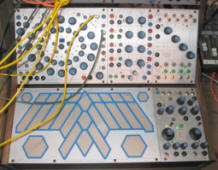
Electroacoustic Music: The Early Days of Electronic Touch Sensors (Hugh LeCaine , Don Buchla & Bob Moog).
|
 |
|
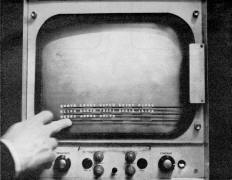
1965: Touch Screen Technology: E.A. Johnson of the Royal Radar Establishment, Malvern, UK.
|
 |
|
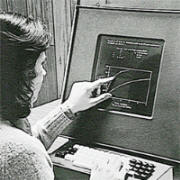
1972: PLATO IV Touch Screen Terminal (Computer-based Education Research Laboratory, University of Illinois, Urbana-Champain)
|
 |
|
1978: One-Point Touch Input of Vector Information (Chris Herot & Guy Weinzapfel, Architecture Machine Group, MIT).
|
 |
|
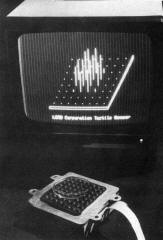
1981: Tactile Array Sensor for Robotics (Jack Rebman, Lord Corporation).
|
 |
|
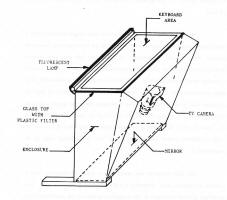
1982: Flexible Machine Interface (Nimish Mehta , University of Toronto).
|
|
|
1983: Soft Machines (Bell Labs, Murray Hill)
|
|
1983: Video Place / Video Desk (Myron Krueger)
|
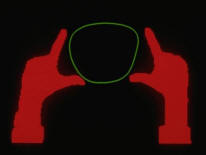
Myron�s work had a staggeringly rich repertoire of gestures, muti-finger, multi-hand and multi-person interaction. |
|
1984: Multi-Touch Screen (Bob Boie, Bell Labs, Murray Hill NJ)
|
|
1985: Multi-Touch Tablet (Input Research Group, University of Toronto): http://www.billbuxton.com/papers.html#anchor1439918
|
 |
|
1985: Sensor Frame (Carnegie Mellon University)
|
 |
|
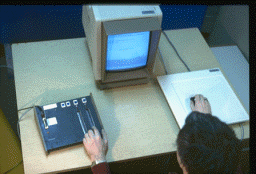
1986:�Bi-Manual Input (University of Toronto)
|
 |
|
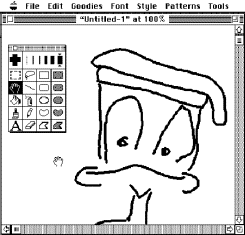
1987-88: Apple Desktop Bus (ADB) and the Trackball Scroller Init (Apple Computer / University of Toronto)
|
 |
|
1991: Bidirectional Displays (Bill Buxton & Colleagues , Xerox PARC) � First discussions about the feasibility of making an LCD display that was also an input device, i.e., where pixels were input as well as output devices. Led to two initiatives.� (Think of the� paper-cup and string �walkie-talkies� that we all made as kids:� the cups were bidirectional and functioned simultaneously as both a speaker and a microphone.) � Took the high res 2D� a-Si scanner technology used in our scanners and adding layers to make them displays.� The bi-directional motivation got lost in the process, but the result was the dpix display (http://www.dpix.com/about.html); � The Liveboard project.� The rear projection Liveboard was initially conceived as a quick prototype of a large flat panel version that used a tiled array of bi-directional dpix displays. |
|
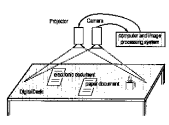
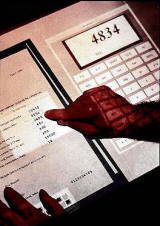
1991: Digital Desk(Pierre Wellner, Rank Xerox EuroPARC, Cambridge)
|
|
|
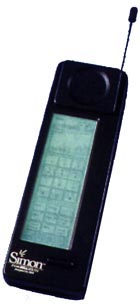
1992: Simon (IBM & Bell South)
|
 |
|
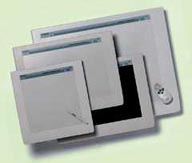
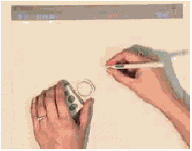
1992: Wacom (Japan)
|
|
|
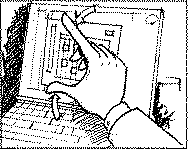
1992: Starfire (Bruce Tognazinni, SUN Microsystems) � Bruce Tognazinni produced an future envisionment film, Starfire, that included a number of multi-hand, multi-finger interactions, including pinching, etc. |
|
|
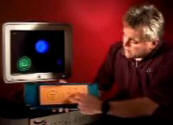
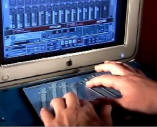
1994: Flip Keyboard(Bill Buxton, Xerox PARC): www.billbuxton.com � A multi-touch pad integrated into the bottom of a keyboard. You flip the keyboard to gain access to the multi-touch pad for rich gestural control of applications. � Buxton, W. (1994). Combined keyboard / touch tablet input device, Xerox Disclosure Journal, 19(2), 109-111. Click here for video ( From 2002 implementation with Tactex Controls) |
|
|
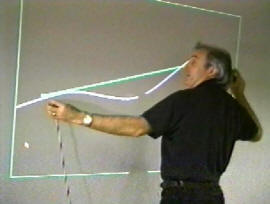
1994-2002: Bimanual Research (Alias|Wavefront, Toronto)
|
 |
|
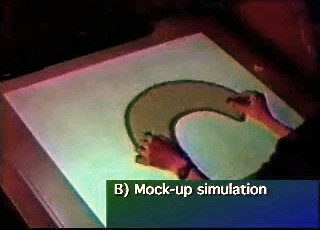
1995: Graspable/Tangible Interfaces (Input Research Group, University of Toronto) · Demonstrated concept and later implementation of sensing the identity, location and even rotation of multiple physical devices on a digital desk-top display and using them to control graphical objects. · By means of the resulting article and associated thesis introduced the notion of what has come to be known as �graspable� or �tangible� computing. · Fitzmaurice, G.W., Ishii, H. & Buxton, W. (1995). Bricks: Laying the foundations for graspable user interfaces. Proceedings of the ACMSIGCHI Conference on Human Factors in Computing Systems (CHI'95), 442�449. |
 |
|
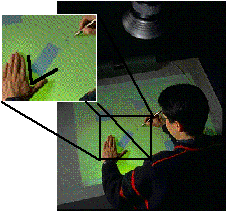
1995/97: Active Desk (Input Research Group / Ontario Telepresence Project,University of Toronto)
|
|
|
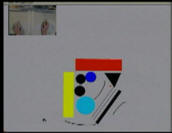
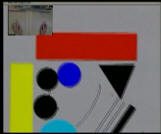
1997: T3 (Alias|Wavefront, Toronto)
|
    |
|
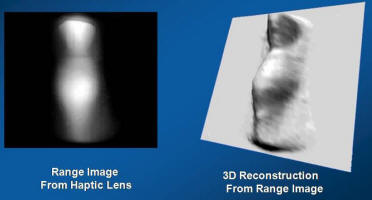
1997: The Haptic Lens (Mike Sinclair, Georgia Tech / Microsoft Research)
|
 |
|
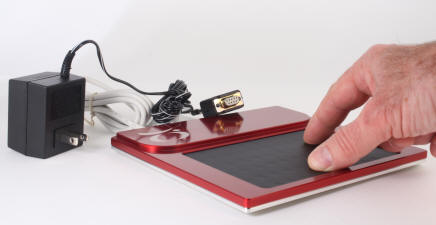
2000: MTC Express Multi-Touch Controller, Tactex Controls (Victoria BC) http://www.tactex.com/
|
 |
|
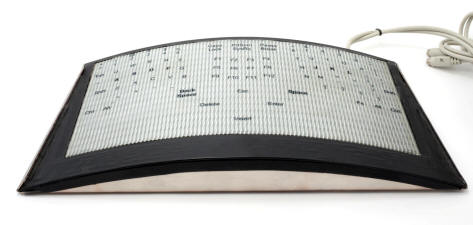
2000: FingerWorks MultiTouch Evaluation System (Newark, Delaware).
|
 |
|
1999: Portfolio Wall (Alias|Wavefront,Toronto On, Canada)
|
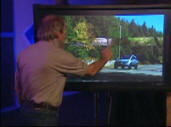
Touch to open/close image Portfolio Wall (1999) |
|
2001: Diamond Touch (Mitsubishi Research Labs, Cambridge MA) http://www.merl.com/
|
 |
|
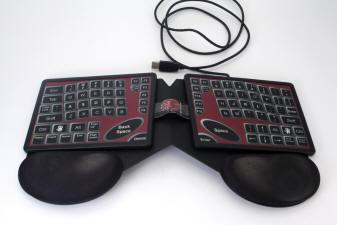
2002: Fingerworks TouchStream (Newark, Delaware).
|
 |
|
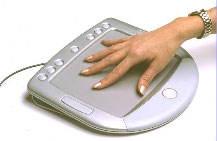
2002: HandGear + GRT. DSI Datotech (Vancouver BC)
|
 |
|
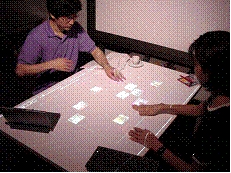
2002: Jun Rekimoto Sony Computer Science Laboratories (Tokyo) http://www.csl.sony.co.jp/person/rekimoto/smartskin/
|
 |
|
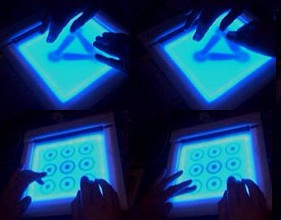
2002: Andrew Fentem (UK) http://www.andrewfentem.com/
|
 |
|
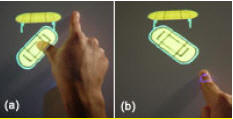
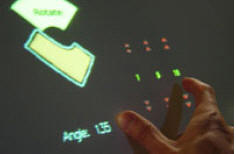
2003: University of Toronto (Toronto) � paper outlining a number of techniques for multi-finger, multi-hand, and multi-user on a single interactive touch display surface. � Many simpler and previously used techniques are omitted since they were known and obvious. � Mike Wu, Mike & Balakrishnan, Ravin (2003). Multi-Finger and Whole Hand Gestural Interaction Techniques for Multi-User Tabletop Displays. CHI Letters |
|
|
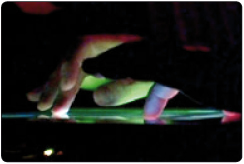
2003: Jazz Mutant (Bordeaux France) http://www.jazzmutant.com/
|
 |
|
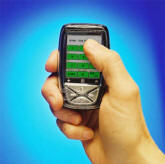
2004: Neonode N1 Mobile Phone (Stockholm, Sweden) http://web.archive.org/web/20041031083630/http://www.neonode.com/
|
 |
|
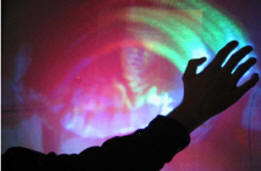
2004: TouchLight (Andy Wilson, Microsoft Research):� http://research.microsoft.com/~awilson/ � TouchLight (2004).� A touch screen display system employing a rear projection display and digital image processing that transforms an otherwise normal sheet of acrylic plastic into a high bandwidth input/output surface suitable for gesture-based interaction.� Video demonstration on website. � Capable of sensing multiple fingers and hands, of one or more users. � Since the acrylic sheet is transparent, the cameras behind have the potential to be used to scan and display paper documents that are held up against the screen . |
|
|
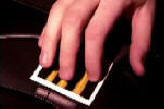
2005: Blask� and Steven Feiner (Columbia University): http://www1.cs.columbia.edu/~gblasko/ � Using pressure to access virtual devices accessible below top layer devices � G�bor Blask� and Steven Feiner (2004). Single-Handed Interaction Techniques for Multiple Pressure-Sensitive Strips, |
|
|
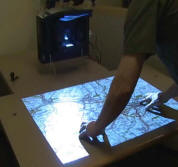
2005: PlayAnywhere (Andy Wilson, Microsoft Research):� http://research.microsoft.com/~awilson/ � PlayAnywhere (2005).� Video on website � Contribution: sensing and identifying of objects as well as touch.� � A front-projected computer vision-based interactive table system. � Addresses installation, calibration, and portability issues that are typical of most vision-based table systems. � Uses an improved� shadow-based touch detection algorithm for sensing both fingers and hands, as well as objects. � Object can be identified and tracked using a fast, simple visual bar code scheme.� Hence, in addition to manual mult-touch, the desk supports interaction using various physical objects, thereby also supporting graspable/tangible style interfaces. � It can also sense particular objects, such as a piece of paper or a mobile phone, and deliver appropriate and desired functionality depending on which.. |
|
|
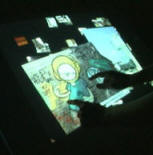
2005: Jeff Han (NYU): http://www.cs.nyu.edu/~jhan/ � Very elegant implementation of a number of techniques and applications on a table format rear projection surface. � Multi-Touch Sensing through Frustrated Total Internal Reflection (2005). Video on website. � Formed Peceptive Pixel in 2006 in order to further develop the technology in the private sector � See the more recent videos at the Perceptive Pixel site: http://www.perceptivepixel.com/ |
|
|
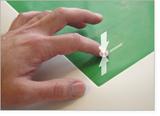
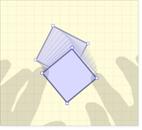
2005: Tactiva (Palo Alto) http://www.tactiva.com/ � Have announced and shown video demos of a product called the TactaPad.� � It uses optics to capture hand shadows and superimpose on computer screen, providing a kind of immersive experience, that echoes back to Krueger (see above) � Is multi-hand and multi-touch � Is tactile touch tablet, i.e., the tablet surface feels different depending on what virtual object/control you are touching |
  |
|
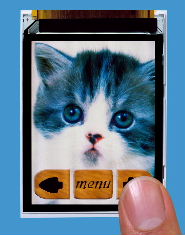
2005: Toshiba Matsusita Display Technology (Tokyo) � Announce and demonstrate LCD display with �Finger Shadow Sensing Input� capability � One of the first examples of what I referred to above in the 1991 Xerox PARC discussions.� It will not be the last. � The significance is that there is no separate touch sensing transducer.� Just as there are RGB pixels that can produce light at any location on the screen, so can pixels detect shadows at any location on the screen, thereby enabling multi-touch in a way that is hard for any separate touch technology to match in performance or, eventually, in price. |
|
|
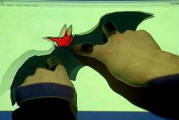
2005: Tomer Moscovich & collaborators (Brown University) � a number of papers on web site: http://www.cs.brown.edu/people/tm/ � T. Moscovich, T. Igarashi, J. Rekimoto, K. Fukuchi, J. F. Hughes. "A Multi-finger Interface for Performance Animation of Deformable Drawings." Demonstration at UIST 2005 Symposium on User Interface Software and Technology, Seattle, WA, October 2005. (video) |
|
|
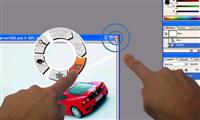
2006: Benko & collaborators (Columbia University & Microsoft Research) � Some techniques for precise pointing and selection on muti-touch screens � Benko, H., Wilson, A. D., and Baudisch, P. (2006). Precise Selection Techniques for Multi-Touch Screens. Proc. ACM CHI 2006 (CHI'06: Human Factors in Computing Systems, 1263�1272 � video |
 |
|
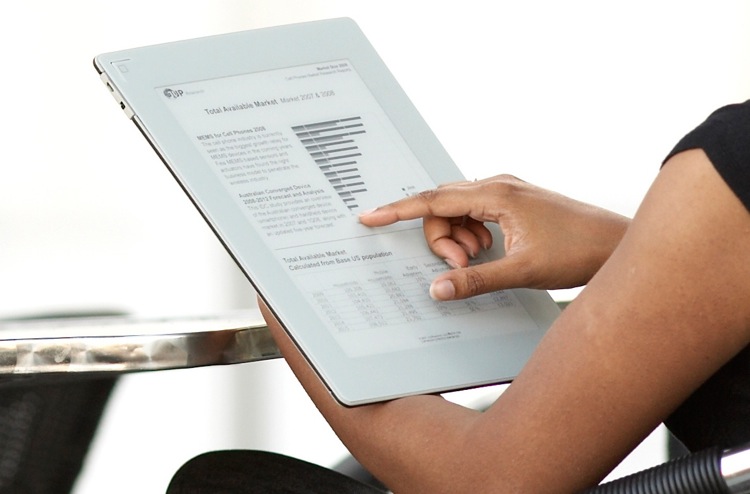
2006: Plastic Logic (Cambridge UK)
|
|
|
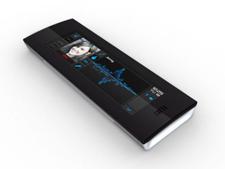
2006: Synaptics & Pilotfish (San Jose) http://www.synaptics.com � Jointly developed Onyx,� a soft multi-touch mobile phone concept using transparent Synaptics touch sensor.� Can sense difference of size of contact.� Hence, the difference between finger (small) and cheek (large), so you can answer the phone just by holding to cheek, for example. |
|
|
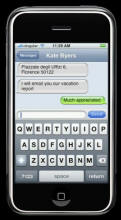
2007: Apple iPhone http://www.apple.com/iphone/technology/
|
 |
|
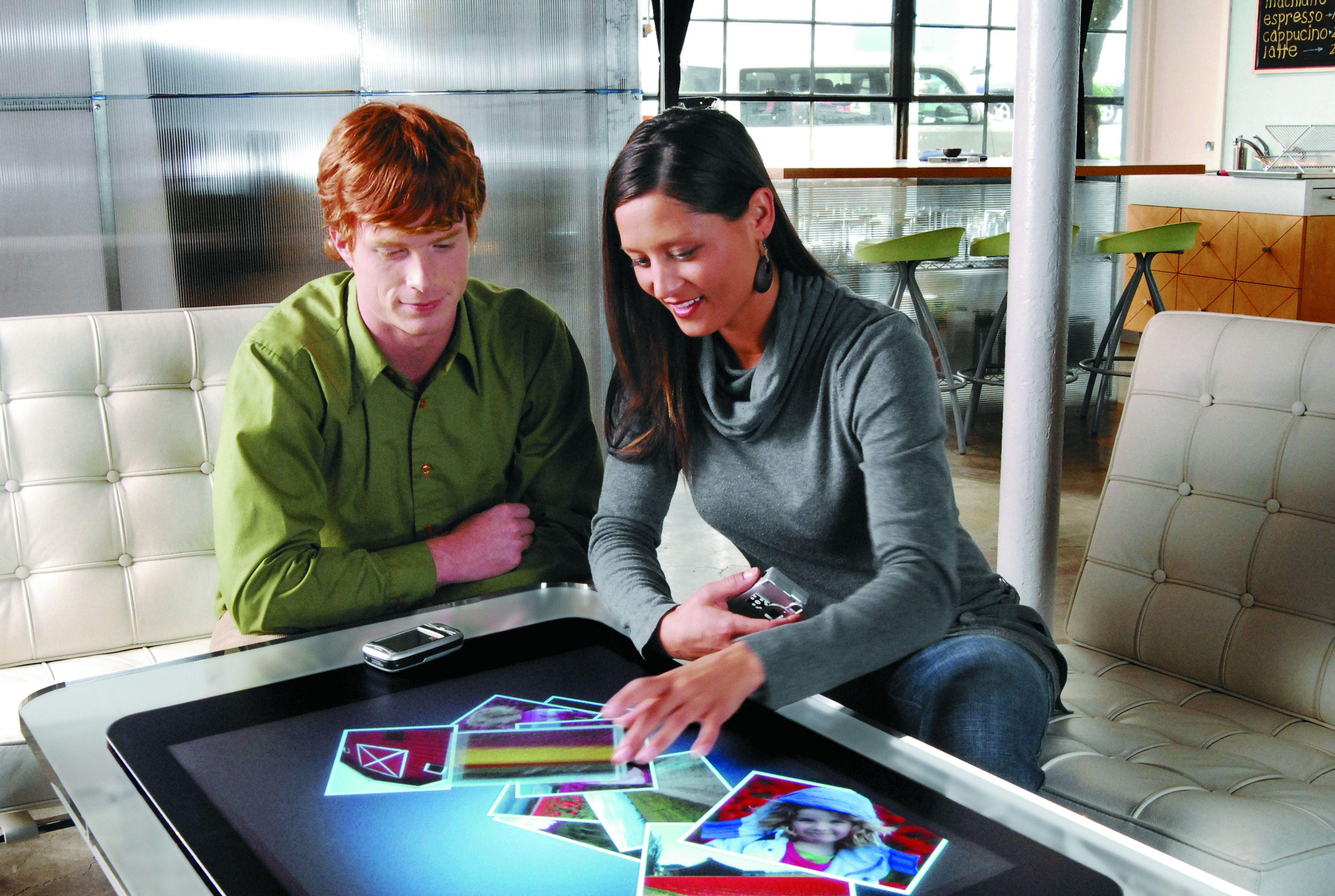
2007: Microsoft Surface Computing http://www.surface.com
|
|
|
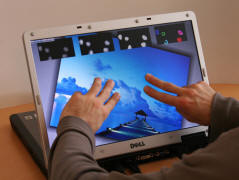
2007: ThinSight, (Microsoft Research Cambridge,UK) http://www.billbuxton.com/UISTthinSight.pdf
|
|
|
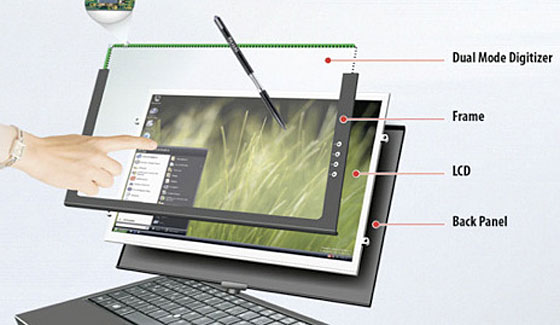
2008: N-trig http://www.n-trig.com/
|
|
|
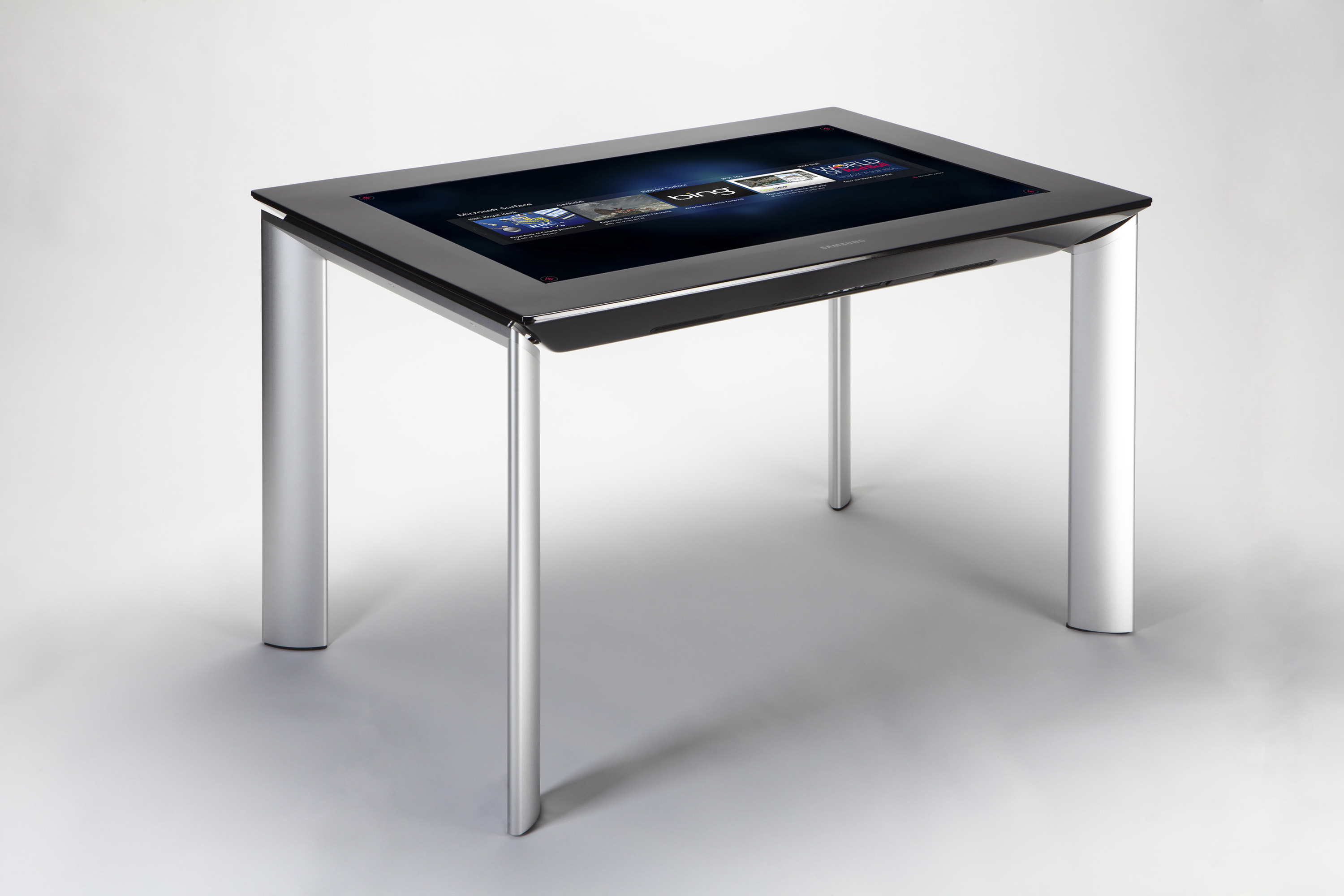
2011: Surface 2.0 (Microsoft & Samsung) http://www.microsoft.com/surface/
|
|